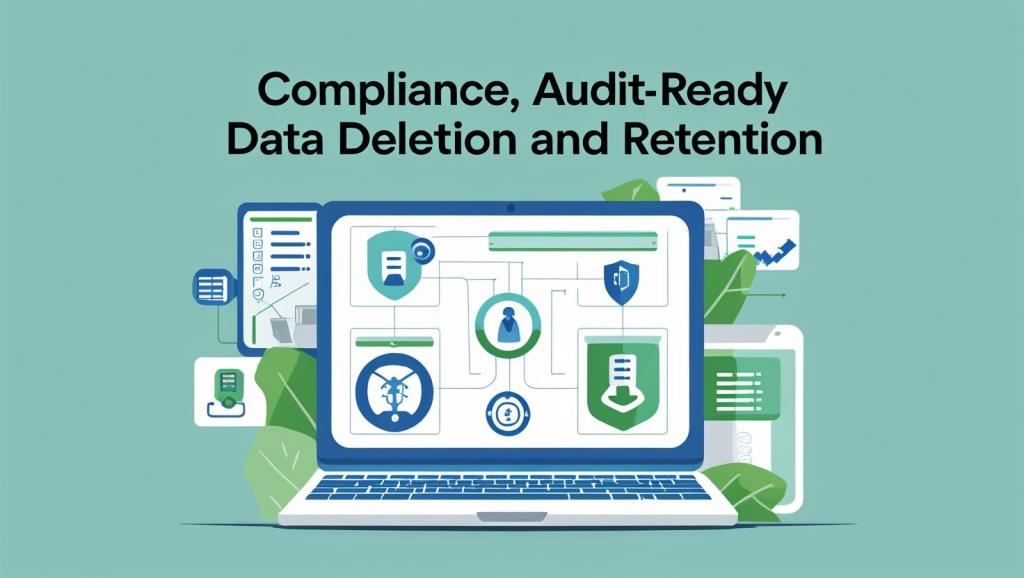
Compliance adherence is an absolute priority in any data-handling environment, especially in industries with stringent regulations such as telecommunications or government sectors. A single misconfiguration can lead to data retention beyond the prescribed Records Information Management (RIM) timeframe. This can result in non-compliance, contractual penalties, or reputational risks.
Why Retention and Timely Destruction Matter
Retention policies define how long data must be retained per regulatory, legal, or business requirements. These policies are often multi-layered and can vary across types of data or data elements. Importantly, retention alone is insufficient—data must also be securely deleted or destroyed when the retention period expires in alignment with regulatory or organizational RIM obligations.
For instance, retaining call records or other regulated information beyond their retention period could violate applicable legislation, potentially leading to penalties.
Azure Environment for Explanation
For clarity and illustration, this discussion considers an Azure environment with Blobs, Storage Accounts, Azure Databases, and SIEM Integration to demonstrate how effective compliance adherence and data destruction assurance can be achieved in a realistic cloud context.
Governance: The Critical Factor
Deploying tools or configurations for data destruction in Azure is straightforward due to the abstractions provided by the cloud platform. However, governance remains crucial:
- Are deletion timelines (both hard and soft deletes) strictly enforced?
- Are deletions applied comprehensively across all relevant subscriptions and environments, not just isolated resource groups?
- Are the correct data elements targeted and purged, considering data classification and sensitivity?
Without rigorous governance, organizations risk failing to provide certified or attested proof of destruction, which is often required by compliance frameworks or audit processes.
Scenario: Azure Environment with Blobs, Storage Accounts, Azure Databases, and SIEM Integration
Consider an Azure environment utilizing:
- Blob Storage for unstructured data, including logs, documents, and media files
- Storage accounts managed with lifecycle and access controls
- Azure SQL Database or other managed databases for structured data
- Security Information and Event Management (SIEM) tools for centralized monitoring and correlation
Microsoft does not provide individual certificates of destruction per deletion event. Instead, compliance is demonstrated through audit logs, activity trails, and detailed reports that collectively prove data was deleted according to prescribed timelines.
Control Plane vs. Data Plane Logging: Building the Evidence Foundation
Understanding Azure’s separation of control plane and data plane is essential for comprehensive compliance evidence:
- Control Plane: Manages and configures cloud resources—creating, updating, or deleting storage accounts, virtual machines, or databases.
- Data Plane: Operates on data inside resources—reading, writing, or deleting blobs or database records.
Both planes produce crucial logs necessary for auditing and proof of data destruction.
Using Azure Logs to Provide Audit-Ready Evidence of Data Deletion
1. Azure Activity Logs (Control Plane)
These logs capture resource-level delete operations such as deleting a storage account or container, providing details about who deleted what and when at the infrastructure level.
Example Azure CLI command to retrieve delete activity over the last 30 days:
az monitor activity-log list \
  --subscription <SubscriptionId> \
  --start-time $(date -Idate --date='-30 days') \
  --end-time $(date -Idate) \
  --query "[?contains(operationName.value, 'Delete') && contains(resourceType.value, 'Microsoft.Storage/storageAccounts')]"
2. Azure Diagnostic Logs (Data Plane)
These logs record data-level operations like blob deletions within storage accounts, offering detailed audit data on actual content deletions.
Sample Kusto Query for Log Analytics to find blob and file deletions in the last 7 days:
StorageBlobLogs
| where TimeGenerated > ago(7d)
| where OperationName in ("DeleteBlob", "DeleteFile")
| project TimeGenerated, RequesterObjectId, OperationName, Uri, AuthenticationType
Together, these logs demonstrate deletion at both management and data levels, providing forensic evidence needed for compliance.
Azure Database Auditing for Data Deletion Tracking
For Azure SQL Database (and similar databases like PostgreSQL), SQL auditing tracks operations including DELETE statements, which are vital for demonstrating secure data purging.
Example to enable auditing sending logs to a Log Analytics workspace:
az sql db audit-policy update \
  --resource-group <resource-group-name> \
  --server <server-name> \
  --database <database-name> \
  --state Enabled \
  --workspace <log-analytics-workspace-resource-id>
Corresponding Log Analytics query to count DELETE operations over the last 30 days:
AzureDiagnostics
| where Category == "SQLSecurityAuditEvents"
| where statement_s contains "DELETE"
| where TimeGenerated > ago(30d)
| summarize CountDeletedRecords = count() by bin(TimeGenerated, 1d), database_name_s
| order by TimeGenerated desc
These logs establish who deleted which records and when, critical for audit trails.
Automating RIM Enforcement: Policy-Driven Retention and Destruction
Azure Blob Storage supports Lifecycle Management policies—declarative JSON rules that automate moving blobs between tiers (Hot, Cool, Archive) and deletion after retention.
Sample JSON to delete blobs under the customer-data/ prefix older than 365 days:
{
  "rules": [
    {
      "name": "rim-retention-rule",
      "enabled": true,
      "type": "Lifecycle",
      "definition": {
        "filters": {
          "blobTypes": ["blockBlob"],
          "prefixMatch": ["customer-data/"]
        },
        "actions": {
          "baseBlob": {
            "delete": {
              "daysAfterModificationGreaterThan": 365
            }
          }
        }
      }
    }
  ]
}
Applying this rule removes the need for manual deletions while ensuring automated compliance with retention policies.
Extending Compliance Monitoring with SIEM Tools
Modern Security Information and Event Management (SIEM) platforms such as ArcSight or Kibana can ingest Azure activity, diagnostic, and audit logs. This enables:
- Centralized correlation of deletion events with retention policies
- Automated alerts for premature or missed data purges
- Comprehensive compliance dashboards and audit reports
By applying RIM context to these logs, organizations create a holistic governance framework across the environment.
Microsoft Compliance Documentation and Frameworks
Microsoft underpins Azure’s data lifecycle and destruction processes with adherence to international and industry standards, including:
- ISO 27001 & 27018 – Information Security and Privacy Controls
- SOC 2 – Security and Operational Controls
- NIST SP 800-88 – Guidelines for Media Sanitization
Third-party audit reports, certificates, and whitepapers covering these controls can be downloaded from the Microsoft Azure Trust Center (https://servicetrust.microsoft.com). While these documents are not tenant- or data-specific, they demonstrate Microsoft’s commitment to secure data destruction at the platform level. Combined with tenant-specific logs and retention configurations, they form a comprehensive compliance package.
Establishing Verifiable and Consistent Data Destruction Certification
No single document proves every instance of data deletion in Azure, but by combining:
- Control plane activity logs
- Data plane diagnostic logs
- Database auditing logs
- Automated lifecycle management policies
- SIEM-based governance and alerting
- Microsoft’s platform compliance attestations
an audit-ready, industry-aligned evidence package can be built that satisfies rigorous RIM requirements and demonstrates certification-level confidence in data destruction.
Sustained RIM compliance demands that every data deletion is trackable, auditable, and aligned to policy—turning destruction into documented assurance.


 Infosec Journey
Leave a comment